Android downloader with in-app browser and media playback
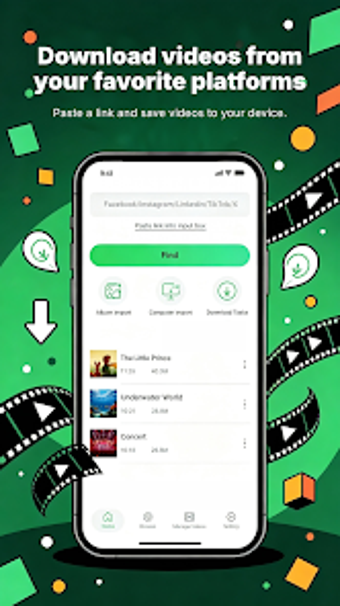
Download Edit Video from BEGS BARS LTD helps Android users capture social-media clips and short videos for offline use. The app combines a downloader, a private browser, and an integrated media player so people can find, fetch, and play saved files without switching tools. It offers automatic link detection and selectable high-resolution output, plus background downloading to continue other tasks. Targeted at social-media consumers, it aims to simplify building local archives of short and standard videos.
What content and file types does the app manage?
The app includes an internal browser and a built-in media player so discovery and playback stay inside one environment. It accepts common container and audio formats, including MP3, MP4, M4A, MOV, and AVI, and stores files locally for immediate offline viewing. This arrangement lets users open a saved clip and play it back without exporting to a separate player, preserving metadata and filename structure during download.
Does downloading interfere with other device tasks?
Background downloading functionality and a high-speed multi-threaded engine let downloads continue while other apps run. The download manager supports pause, resume, and cancel controls and can handle simultaneous transfers, so large files can complete without blocking foreground activity. Typical use sends network and storage I/O to background threads, reducing visible interruption during browsing or messaging tasks.
Are there safety or source restrictions to consider?
Platform policy constraints affect which sources are supported; notably, the app does not provide downloads from YouTube because such restrictions apply to many store-hosted downloaders. The presence of a private browser offers an in-app discovery route that avoids switching between apps, and multi-language support broadens accessibility for non-English speakers. Users should observe site-specific terms before saving content.
Do I need technical knowledge to operate this tool correctly?
Casual users can rely on the built-in browser and player for one-tap discovery and playback, while more experienced users can manage queues and manual controls in the download manager. The developer tuned the tool for short-form social clips as well as longer files, so basic operations are approachable, yet the manager exposes detailed control when a user prefers manual queuing, pausing, or format selection.
A practical choice for social-media collectors with a modern Android device
The app is a practical option for social-media consumers who need reliable offline access to clips and standard video files, offering built-in discovery and download controls. One trade-off is that it targets current desktop-class mobile systems, requiring modern Android builds which may exclude older handsets. Recommended.